왜 IndexedDB인가
LocalStorage는:
- 문자열만 저장 가능
- 용량 제한 5MB
- 동기 API (블로킹)
IndexedDB는:
- Blob, ArrayBuffer 등 바이너리 저장 가능
- 용량 제한 훨씬 큼 (브라우저마다 다르지만 수백 MB)
- 비동기 API
- 트랜잭션 지원
이미지 Blob을 저장해야 하니까 IndexedDB가 필수다.
Dexie.js
IndexedDB API는 콜백 지옥이다. Dexie.js를 쓰면 Promise 기반으로 깔끔하게 쓸 수 있다.
npm install dexie
스키마 정의
// stores/projectStore.js
import Dexie from 'dexie'

const db = new Dexie('PDF2MD')

db.version(1).stores({
  projects: '++id, name, createdAt, updatedAt',
  regions: '++id, projectId, page, type, number, caption, filename'
})

export default db
++id는 자동 증가 기본키. 인덱스로 쓸 필드만 나열하면 된다. 나머지 필드는 자유롭게 저장 가능.
프로젝트 CRUD
// 프로젝트 생성
export async function createProject(name, pdfFile) {
  const pdfArrayBuffer = await pdfFile.arrayBuffer()

  const id = await db.projects.add({
    name,
    pdfData: pdfArrayBuffer,  // PDF 원본 저장
    pdfName: pdfFile.name,
    createdAt: new Date(),
    updatedAt: new Date()
  })

  return id
}

// 프로젝트 목록
export async function listProjects() {
  return await db.projects.orderBy('updatedAt').reverse().toArray()
}

// 프로젝트 로드
export async function loadProject(id) {
  const project = await db.projects.get(id)
  const regions = await db.regions.where('projectId').equals(id).toArray()

  return { project, regions }
}

// 프로젝트 삭제
export async function deleteProject(id) {
  await db.transaction('rw', db.projects, db.regions, async () => {
    await db.regions.where('projectId').equals(id).delete()
    await db.projects.delete(id)
  })
}
영역 저장
export async function saveRegion(projectId, regionData) {
  const id = await db.regions.add({
    projectId,
    page: regionData.page,
    rect: regionData.rect,
    type: regionData.type,
    number: regionData.number,
    caption: regionData.caption,
    filename: regionData.filename,
    imageBlob: regionData.blob,  // Blob 직접 저장
    ocrText: regionData.ocrText,
    createdAt: new Date()
  })

  // 프로젝트 수정일 업데이트
  await db.projects.update(projectId, {
    updatedAt: new Date()
  })

  return id
}

export async function updateRegion(id, updates) {
  await db.regions.update(id, updates)
}

export async function deleteRegion(id) {
  await db.regions.delete(id)
}
Blob URL 관리
IndexedDB에서 가져온 Blob은 URL.createObjectURL로 변환해서 이미지로 표시:
const regions = ref([])

async function loadRegions(projectId) {
  const data = await db.regions.where('projectId').equals(projectId).toArray()

  regions.value = data.map(r => ({
    ...r,
    imageUrl: URL.createObjectURL(r.imageBlob)
  }))
}

// 컴포넌트 언마운트 시 URL 해제
onUnmounted(() => {
  regions.value.forEach(r => {
    if (r.imageUrl) URL.revokeObjectURL(r.imageUrl)
  })
})
Markdown 생성
export function generateMarkdown(regions, options = {}) {
const { imageDir = 'images' } = options
// 페이지, 번호 순으로 정렬
const sorted = [...regions].sort((a, b) => {
if (a.page !== b.page) return a.page - b.page
if (a.type !== b.type) return a.type.localeCompare(b.type)
return (a.number || 0) - (b.number || 0)
})
let md = '# Document Figures and Tables\n\n'
let currentPage = null
for (const region of sorted) {
// 페이지 구분
if (region.page !== currentPage) {
currentPage = region.page
md += `## Page ${currentPage}\n\n`
}
// 이미지 링크
const imgPath = `${imageDir}/${region.filename}.png`
md += `\n\n`
// 캡션
if (region.caption) {
md += `**${region.type} ${region.number || ''}**: ${region.caption}\n\n`
}
md += '---\n\n'
}
return md
}
JSZip으로 ZIP 생성
npm install jszip file-saver
import JSZip from 'jszip'
import { saveAs } from 'file-saver'

export async function exportProject(project, regions) {
  const zip = new JSZip()

  // Markdown 파일
  const markdown = generateMarkdown(regions)
  zip.file('README.md', markdown)

  // 이미지 폴더
  const imgFolder = zip.folder('images')

  for (const region of regions) {
    const filename = `${region.filename}.png`
    imgFolder.file(filename, region.imageBlob)
  }

  // ZIP 생성 및 다운로드
  const content = await zip.generateAsync({
    type: 'blob',
    compression: 'DEFLATE',
    compressionOptions: { level: 6 }
  })

  const zipName = `${project.name || 'export'}.zip`
  saveAs(content, zipName)
}
진행 상황 표시
큰 프로젝트는 ZIP 생성에 시간이 걸린다:
export async function exportProjectWithProgress(project, regions, onProgress) {
  const zip = new JSZip()

  const markdown = generateMarkdown(regions)
  zip.file('README.md', markdown)

  const imgFolder = zip.folder('images')
  const total = regions.length

  for (let i = 0; i < regions.length; i++) {
    const region = regions[i]
    const filename = `${region.filename}.png`
    imgFolder.file(filename, region.imageBlob)

    onProgress?.({
      phase: 'adding',
      current: i + 1,
      total,
      percent: Math.round(((i + 1) / total) * 50)  // 0-50%
    })
  }

  const content = await zip.generateAsync(
    {
      type: 'blob',
      compression: 'DEFLATE',
      compressionOptions: { level: 6 }
    },
    (metadata) => {
      onProgress?.({
        phase: 'compressing',
        percent: 50 + Math.round(metadata.percent / 2)  // 50-100%
      })
    }
  )

  onProgress?.({ phase: 'done', percent: 100 })

  return content
}
Vue 컴포넌트
<script setup>
import { ref } from 'vue'
import { exportProjectWithProgress } from '@/services/exportService'
import { saveAs } from 'file-saver'

const props = defineProps(['project', 'regions'])
const isExporting = ref(false)
const progress = ref(0)
const progressText = ref('')

async function handleExport() {
  isExporting.value = true
  progress.value = 0

  try {
    const blob = await exportProjectWithProgress(
      props.project,
      props.regions,
      (p) => {
        progress.value = p.percent
        progressText.value = p.phase === 'adding'
          ? `이미지 추가 중... ${p.current}/${p.total}`
          : `압축 중...`
      }
    )

    saveAs(blob, `${props.project.name}.zip`)
  } finally {
    isExporting.value = false
  }
}
</script>

<template>
  <button @click="handleExport" :disabled="isExporting">
    {{ isExporting ? `내보내는 중 (${progress}%)` : 'ZIP 내보내기' }}
  </button>
  <div v-if="isExporting" class="progress-bar">
    <div :style="{ width: `${progress}%` }"></div>
  </div>
</template>
완성
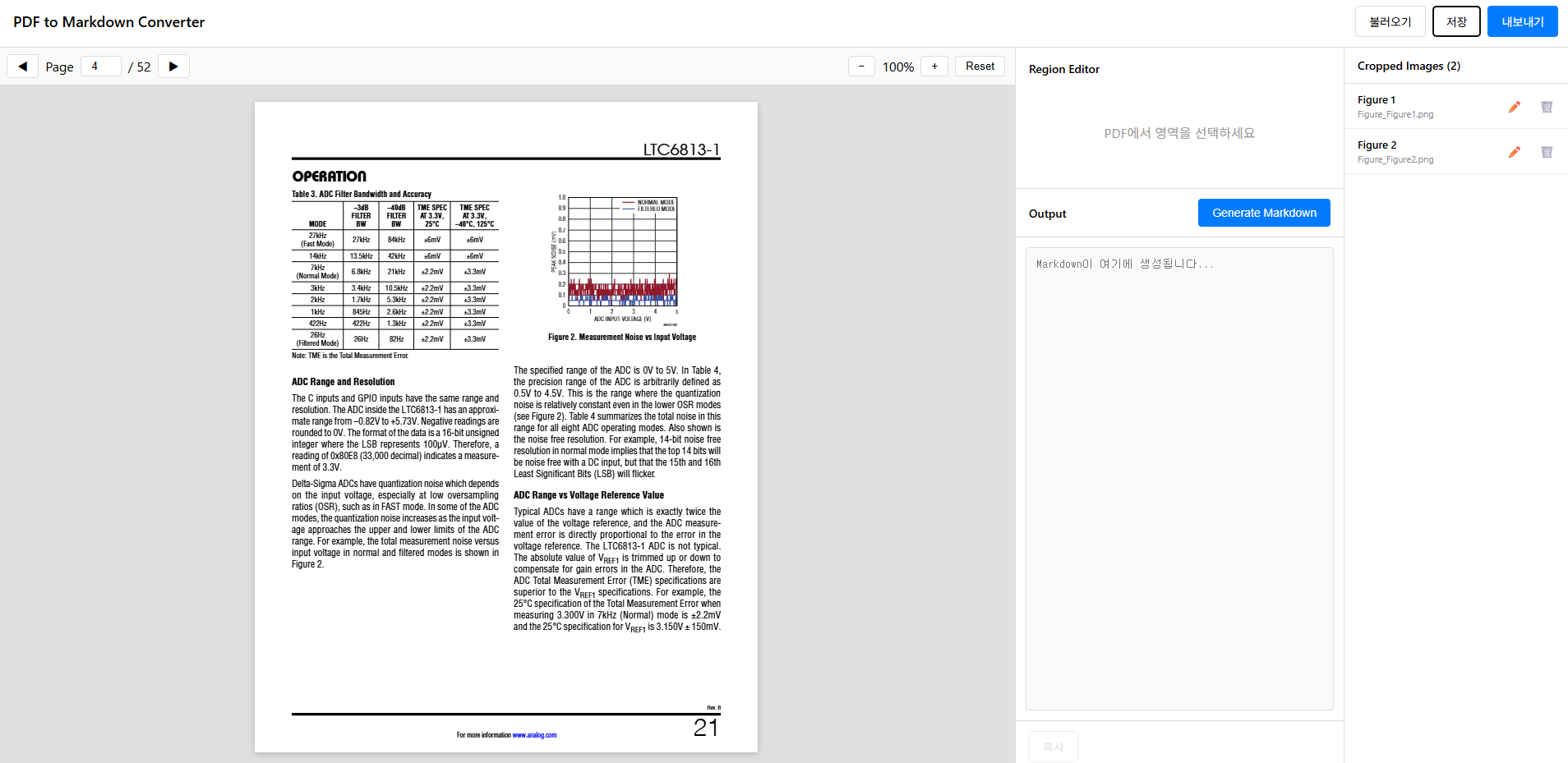
이제 전체 플로우가 완성됐다:
- PDF 업로드 → IndexedDB에 프로젝트 생성
- 영역 선택 → 클릭-투-클릭으로 캡처
- OCR 분석 → Figure/Table 자동 인식
- 메타 편집 → 타입, 번호, 캡션 수정
- 저장 → IndexedDB에 영역 저장 (브라우저 닫아도 유지)
- 내보내기 → Markdown + 이미지 ZIP 다운로드
서버 없이 브라우저만으로 데이터시트 문서화 작업이 가능해졌다.
개선할 점
- PDF 텍스트 레이어 활용 (선택 가능한 PDF면 OCR 없이도 텍스트 추출 가능)
- 다크 모드
- 단축키 지원
- 여러 PDF 동시 작업
데이터시트 작업할 때마다 시간이 줄어드니까 만든 보람이 있다.